Manage your subscription and restore purchases
See your plan
- Tap your round photo at the top left of the screen to open your profile.
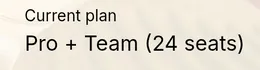
- Your plan is under Current plan.
Change or cancel
Where you bought your subscription is where you manage it. We can't cancel or refund a store purchase for you. Only the store can.
On iPhone
- On your profile, tap Manage Subscription. Apple's subscription page opens.
- Choose a different plan, or tap Cancel Subscription.
You can also go to Settings, tap your name, then Subscriptions, or visit apps.apple.com/account/subscriptions.
On Android
- On your profile, tap Manage Subscription. Google Play opens.
- Choose your subscription to change or cancel it.
You can also open the Play Store, tap your profile icon, then Payments & subscriptions, or visit play.google.com/store/account/subscriptions.
On iPhone and Android
To move up a plan, tap Upgrade to Pro on your profile.
On the web
Subscribed on shelftalkerapp.com? Your profile says Managed via shelftalkerapp.com. Sign in on the website and open the Portal to change or cancel.
Paid, but the app doesn't show it?
- Make sure you're signed in to the phone with the same account you paid with.
- On your profile, tap Restore Purchases. It's also at the bottom of the Choose Your Plan screen.
- If your plan still doesn't show, contact support with where you bought it and the date.
Deleting your Shelf Talker account doesn't cancel a subscription. Cancel it with the store as well.
Still stuck? Contact support